Good afternoon, everyone.
October is Cybersecurity Awareness Month and for the 11th consecutive year, UTIA is participating as a Cybersecurity Awareness Month Champion, supporting the National Cybersecurity Alliance (NCA) and Cybersecurity and Infrastructure Security Agency (CISA) campaign. Cybersecurity Awareness Month was launched in 2004 to create awareness about staying safe online.
The theme for 2026 Cybersecurity Awareness Month is Don’t Make It Easy for Them. By building strong security habits and repeating them every day, we can all make life more difficult for the cybercriminals. Each week this month I will give simple tips for how to stay safe online. Today’s topic is Passwords and Password Managers.
The most important tip about passwords is that you must create strong and secure passwords! What makes a secure password?
- I strongly recommend using at least 16 characters, because the longer and more complex the password, the harder it is to crack it. (Using a 16-character password makes it roughly 6 trillion times harder to crack than an 8-character password!)
- It is crucial to use a different strong password for each and every account you have.
- Use a passphrase instead of a word, plus use a combination of upper case, lower case, numbers, and special characters instead of just words (e.g., S@ndyL0v3sTh3Y@nk33s! – but because most people know how much I love the Yankees, I would never actually use that password!).
- Never use birthdates, pet names, favorite places, etc., as hackers can find this personal information about you via social media and social engineering.
- Change your passwords at least once a year because if your password is ever cracked, it will likely be sold on the Dark Web for hackers to use for years to come.
- Never, ever, ever share your passwords with anyone for any reason.
- Someone using your password has access to everything you have access to including all your personally identifiable information.
- Someone with your NetID password would be able to log into any other UTIA/UT system, including DASH, SUPER, your email, etc., and access data they would not have permission to access.
- If someone logs in with your password, it looks like it YOU.
- It is against UTIA standards and UT policies to share your password, as well as to use someone else’s credentials!
While the information I just shared can be overwhelming, you can turn it into a mental game for yourself, using codes in your unique passwords that will tie in with that account but that no one else would ever be able to guess. But if it still too much, you can use a reputable password manager to help you. UT does not offer password managers and would not provide technical support if you choose to purchase one for yourself. There are plenty of options out there for password managers, but you need to be careful when choosing one. Here are some key things to keep in mind when looking for a password manager that is right for you.
- Choose one that has a clean history versus a history of security incidents or breaches (e.g., LastPass who has had multiple security incidents since 2022).
- Choose a password manager that uses zero-knowledge architecture, which means the provider cannot see your master password or any unencrypted data.
- Choose one from a trustworthy company who hires independent cybersecurity experts to regularly test their systems and publish the results.
- Choose a password manager that supports multi-factor authentication (MFA), biometric login, secure sharing, and passkey management.
- Remember that today’s top list of password managers can quickly change.
I can’t tell you which password manager to choose, but I can narrow the list down for you based on my research.
- 1Password uses a unique Secret Key in addition to your master password. This means your data cannot be decrypted even if intercepted. This is cross-platform, has no device limit, and uses MFA for extra protection.
- NordPass uses advanced encryption, support for seven browsers, MFA, and zero-knowledge architecture. It is user-friendly and has a data breach scanner.
- RoboForm uses next-gen encryption, easy password sharing, and MFA. It is user-friendly and is considered a top tool for securing passwords.
- Keeper is touted as being feature-rich, has plenty of MFA options, supports all popular devices and browsers, and has a private messaging app.
- iCloud Keychain was developed by Apple and is included in macOS and iOS. It uses MFA and it is built-in, so it doesn’t cost extra, but it only works with Apple devices.
And since this is Cybersecurity Awareness Month, there is no better time than now to complete your Cybersecurity Awareness Training if you haven’t already. Just log into K@TE using your NetID and password, then look for the 2026-2027 Compliance UTK training. The training package is role-based so there are different names, but the Cybersecurity Awareness training is one of the assignments within that package.
- This training has been assigned to faculty and staff, including graduate students in a paid employee position.
- If you are a grad student, you may have received an email from the Dean of the Graduate School telling you about the training. If you have not received this email, you should this week.
- If you are a grad student and you didn’t get the training email, you can go to K@TE to see if the training was assigned. If you cannot log into K@TE, then the training would not be assigned.
- If you are a UT Student Assistant (undergrad), the training was not assigned.
- The deadline to complete the training is December 31, 2026.
- If the training was assigned you will receive automated reminders from K@TE, and possibly OIT, about the training.
- If you have not completed the training by the deadline, you will automatically lose access to almost everything using the NetID for authentication, including email, until you log into K@TE and complete the training.
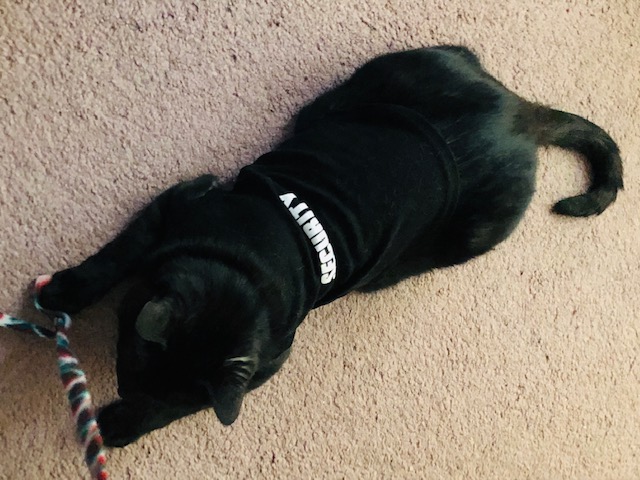
It is also Black Cat Awareness Month, so Gracie, your UTIA Chief Infurmation Security Kitty and Chief Feline Officer, wants to say hello and tell you to stay aware and keep it safe! Thanks for all you do to protect the Institute, its data, customers/clients, and yourself.